- Why every serious investor needs one
- Hot wallets vs cold wallets explained
- How a hardware wallet actually works
- The main hardware wallet brands available
- Buying a hardware wallet in India — the real story
- How to set up your device safely
- Seed phrase — your ultimate key
- Mistakes that destroy hardware wallet security
- Frequently asked questions
Why every serious investor needs one
If you have more than a few thousand rupees in crypto, you need a hardware wallet. This is not hype. This is basic financial self-defence. Let me explain why.
When you buy crypto on an exchange like CoinDCX or Binance, your crypto sits on that exchange's servers. You do not actually own it — the exchange owes you an equivalent balance. If the exchange gets hacked, closes, or has problems, your crypto can disappear.
Imagine you have ₹1 lakh in Bitcoin sitting on an exchange. Then the exchange gets hacked. Or the exchange's banking relationship breaks and withdrawals freeze for months. Or regulators restrict activity. Your ₹1 lakh is trapped. In worst cases, it is gone forever.
This is not a theoretical risk. It has happened repeatedly:
- Mt. Gox (2014): 850,000 BTC lost. Users waited 10 years for partial recovery.
- FTX (2022): Billions in user funds trapped. Largest crypto collapse in history.
- WazirX (2024): Hundreds of crores lost in a hack affecting Indian users.
- Celsius, Voyager, BlockFi (2022): All collapsed, users lost crypto held for "earn" yields.
A hardware wallet solves this. It is a small physical device — about the size of a pen drive or car key — that stores your crypto keys offline. Your crypto is not on any exchange. It is on the blockchain, controlled by keys that only exist in your device. No company can lose it, freeze it, or steal it.
Think of it like this. Keeping crypto on an exchange is like keeping all your cash in a shared locker at a bank — where the bank manager has the combination too. If the manager is honest and the bank is secure, you are fine. If either fails, you lose everything. Keeping crypto in a hardware wallet is like keeping cash in your own personal safe at home — only you know the combination. Nobody else can access it. Not the government. Not hackers. Not the device manufacturer. Only you.
The cost of a hardware wallet is ₹6,000-15,000 depending on the brand. If you have more than ₹50,000 in crypto, the investment is obvious. If you have more than ₹5 lakh, not owning one is irresponsible. Many experienced investors call this "your first crypto purchase" — before buying any coin, buy the device that will keep it safe.
This guide covers everything you need to know. What hardware wallets are. How they work. Which brands are good. How to buy them in India (there are important details here). How to set them up safely. How to back up your seed phrase. And the common mistakes that destroy their security. By the end, you will be able to confidently take control of your own crypto — the only way to truly be safe in this space.
Hot wallets vs cold wallets explained
Every crypto wallet falls into one of two categories — hot or cold. Understanding the difference is the foundation of crypto security.
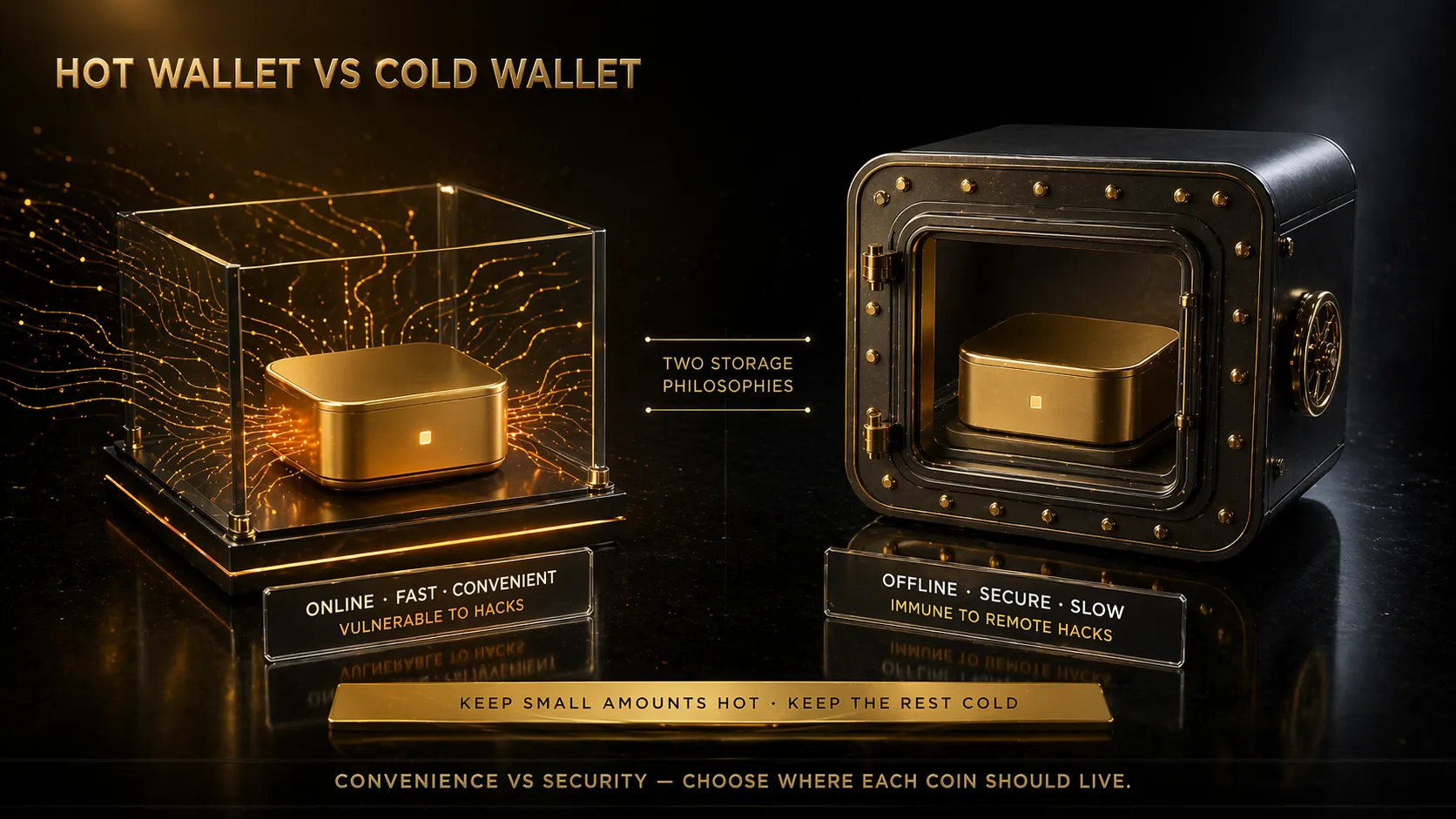
Two storage philosophies — convenience vs security. Keep small amounts hot, keep the rest cold.
Hot wallets — connected and convenient.
A "hot" wallet is any wallet connected to the internet. This includes:
- Exchange accounts (CoinDCX, WazirX, Binance — your crypto on their servers)
- Mobile wallet apps (Trust Wallet, MetaMask on your phone, Exodus)
- Desktop wallet apps (MetaMask browser extension, Electrum)
- Web-based wallets accessed through a browser
Hot wallets are convenient. You can send crypto in seconds. You can connect to DeFi apps. You can trade instantly. This is the trade-off — convenience comes from being always online.
Risks of hot wallets:
- Hackable. Anything connected to the internet can be attacked. Exchange hacks, phishing attacks, malware on your phone or computer — all can drain hot wallets.
- Exchange-specific risks. The exchange itself can fail or freeze your funds.
- Social engineering. Scammers trick you into authorising transactions that send your crypto to them.
- Physical device compromise. If your phone is stolen with a weak password, your crypto can be taken.
Cold wallets — offline and secure.
A "cold" wallet is any wallet not connected to the internet. The main types:
- Hardware wallets (Ledger, Trezor, SafePal) — dedicated devices that keep keys offline
- Paper wallets (public address and private key printed on paper) — secure but fragile and prone to user error
- Air-gapped computers (PCs that have never connected to the internet, used to sign transactions) — extreme security for very large holdings
Cold wallets are less convenient. Transactions require you to physically connect the device, confirm on the screen, and approve with a PIN. This takes a minute or two instead of seconds. But this friction is the point — it protects you from hackers and from your own mistakes.
Benefits of cold wallets:
- Immune to remote hacks. If a hacker is in the United States and your Ledger is in your drawer in Pune, they cannot steal your crypto. The device is offline.
- No exchange risk. Your crypto is not held by any company. You cannot be frozen out.
- Physical confirmation required. Every transaction must be approved on the device itself. Malware on your computer cannot send crypto without the device.
- Long-term storage. Perfect for "hodling" — holding crypto for years without trading.
The right approach — use both.
Experienced crypto investors do not choose one over the other. They use both for different purposes:
- Hot wallet (10-20% of crypto): Money you might trade this month. Small amounts. Easy access for rebalancing or taking profits.
- Cold wallet (80-90% of crypto): Long-term holdings. The bulk of your wealth. Rarely touched. Maximum security.
For a ₹2 lakh portfolio, this might mean ₹30,000 on an exchange for active trading and ₹1,70,000 on a hardware wallet for long-term holding. For a ₹20 lakh portfolio, ₹3 lakh active and ₹17 lakh in cold storage.
The specific ratio depends on your trading frequency. If you trade rarely, keep 90-95% cold. If you trade often, 70-80% cold is reasonable. But never keep 100% on exchanges. Never.
How a hardware wallet actually works
Hardware wallets sound technical but the concept is simple. Let me explain without any jargon.
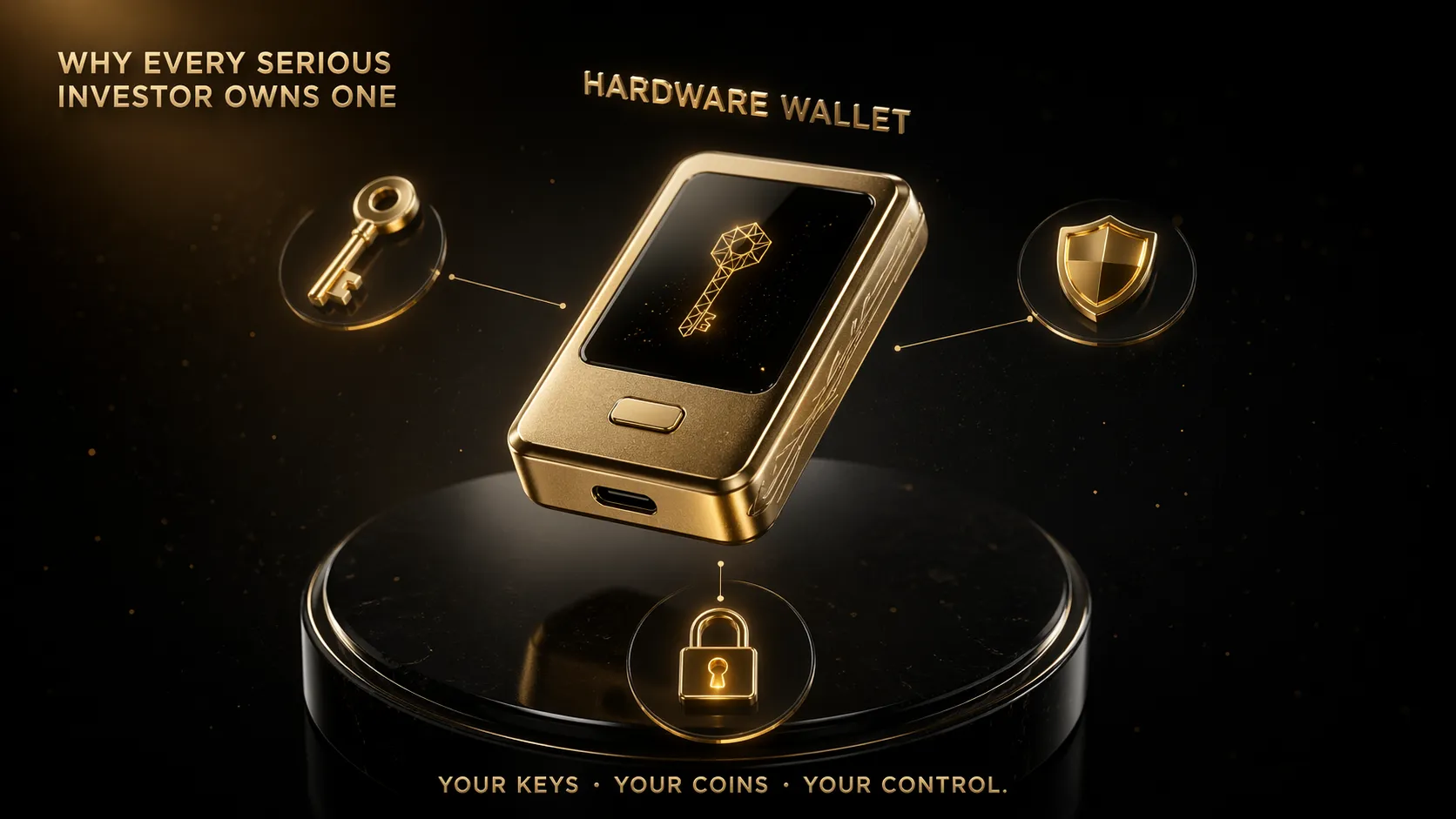
A hardware wallet — your keys, your coins, your control.
The basic idea.
Every crypto wallet has two parts:
- Public address — a long string like "bc1qxy2kgdyg..." that you can share. Think of it as your account number. Anyone can send crypto to this address.
- Private key — a secret number that lets you spend the crypto. Anyone with this key can take your crypto. This must never leave your control.
A hardware wallet keeps your private key locked inside a special secure chip — like the chip in your Aadhaar card or debit card. The key never leaves this chip. Ever. Even the device manufacturer cannot read it.
How transactions work.
When you want to send crypto:
- You connect the hardware wallet to your computer or phone (by USB or Bluetooth).
- You open the wallet software (Ledger Live, Trezor Suite, etc.) on your computer or phone.
- You create a transaction — "send 0.1 BTC to address XYZ".
- The software sends this transaction to the hardware device, asking "please sign this".
- The device shows the transaction details on its own small screen — amount, destination address.
- You verify the details on the device screen (crucial — always verify).
- You press the button on the device to approve.
- The device signs the transaction using the private key inside its chip (the key never leaves).
- The signed transaction is sent back to your computer, then broadcast to the blockchain.
The critical step is #5 — verifying on the device's own screen. This is what protects you from malware. Even if a hacker has complete control over your computer, they cannot change what the device shows. If the address on your computer screen is different from the address on the device screen, it means malware is trying to redirect your crypto. You press reject and stay safe.
Why this is genuinely secure.
Three things combine to make hardware wallets extremely secure:
1. The chip is tamper-resistant. Modern hardware wallets use "secure element" chips similar to those in passports and bank cards. Extracting the private key requires extremely sophisticated hardware attacks costing lakhs of rupees — not worth it for individual wallets.
2. The key never leaves the device. Unlike software wallets where the key exists on your computer (and could theoretically be stolen by malware), the hardware wallet key is physically isolated from any network-connected system.
3. Physical confirmation is required. Every transaction requires you to press a button on the device. Remote attackers cannot press this button. They would need physical access to your device plus your PIN.
The result — hardware wallets have the best security track record in crypto. There are essentially no cases of professionally-manufactured hardware wallets having their keys extracted remotely. User errors (losing seed phrases, falling for phishing) account for nearly all hardware wallet losses — not the devices themselves being compromised.
What happens if your device breaks or is lost?
This is a common beginner worry. The device itself is not what holds your crypto. The device just holds the keys to your crypto, which actually lives on the blockchain.
When you set up a hardware wallet, you are given a "seed phrase" — typically 12 or 24 English words. This phrase can regenerate your private keys on any compatible device. If your Ledger is lost or destroyed, you can buy a new Trezor, enter your seed phrase, and recover full access to your crypto.
This is why the seed phrase is the most important thing to protect — it is the true master key. The device is just a physical tool to use the key safely. Lose the device but keep the seed phrase, you recover everything. Keep the device but lose the seed phrase, you are fine as long as the device works. Lose both — your crypto is gone forever.
Our on-chain analysis guide covers how blockchains actually work, which helps you understand why hardware wallets are the gold standard — your crypto lives on a public ledger, the keys live on your device, and the device lets you authorise changes to that ledger without exposing the keys.
The main hardware wallet brands available
There are three major hardware wallet brands and several smaller ones. Each has strengths and trade-offs. Here is an honest comparison — none of these are affiliate recommendations, just information based on general community reputation.
1. Ledger (France).
Ledger is the largest hardware wallet maker globally. Their devices have sold millions of units worldwide. Popular models include Ledger Nano S Plus (entry level, ~₹7,000) and Ledger Nano X (mid-tier with Bluetooth, ~₹12,000).
Pros:
- Supports 5,000+ cryptocurrencies
- Well-established, large user community
- Mobile app (Ledger Live) is polished and easy to use
- Bluetooth option for phone-based usage
- Strong third-party app integrations (MetaMask, Uniswap, etc.)
Cons:
- Closed-source firmware — you must trust Ledger that nothing sneaky is inside
- Customer data leak in 2020 exposed 270,000 customers' addresses and phone numbers — some received physical threats and extensive phishing
- 2023 controversy over an optional "Recover" seed phrase backup service (opposed by many security experts)
- Some earlier batches had supply chain tampering concerns
2. Trezor (Czech Republic).
Trezor was the first hardware wallet brand (invented 2014) and has a strong reputation in the privacy community. Popular models include Trezor Model One (basic, ~₹6,000) and Trezor Model T (touchscreen, ~₹15,000).
Pros:
- Fully open-source firmware — anyone can audit the code
- Strong transparency, privacy focus
- Excellent reputation in security community
- No major data breaches
- Good desktop software (Trezor Suite)
Cons:
- Smaller coin selection than Ledger (still covers major coins)
- No mobile app as polished as Ledger Live
- Less support for some altcoins and NFT integrations
- Some early models had known side-channel vulnerabilities (requires physical access plus sophisticated equipment to exploit)
3. SafePal (multi-national).
SafePal is a newer, more affordable option backed by Binance. Popular models include SafePal S1 (~₹4,500) and SafePal Cypher (steel seed phrase backup tool).
Pros:
- Most affordable mainstream option
- Air-gapped design (uses QR codes, never connects to internet)
- Good mobile app integration
- Works well with Binance ecosystem
Cons:
- Younger brand with shorter track record
- Partially closed-source
- Backed by a crypto exchange — some users see this as a conflict of interest
- Build quality is decent but not premium
Other notable options:
- BitBox02 (Switzerland): Premium, security-focused, Bitcoin-only variant available. ~₹12,000.
- Coldcard (USA): Bitcoin-only, air-gapped, aimed at advanced users. ~₹15,000.
- Keystone (China/USA): Air-gapped with large touchscreen, QR-based signing. ~₹12,000.
- Tangem (Liechtenstein): Credit-card form factor, NFC-based. Simpler but limited features. ~₹5,000.
Recommendations for Indian beginners:
For most Indian users starting out, I suggest:
- Budget under ₹7,000: SafePal S1 or Trezor Model One
- Budget ₹7,000-12,000: Ledger Nano S Plus (if you prioritise app quality) or Trezor Model One (if you prioritise open-source)
- Budget ₹12,000+: Ledger Nano X (Bluetooth convenience) or Trezor Model T (touchscreen, open-source)
- Bitcoin-only holders: Consider Coldcard or BitBox02 BTCOnly edition for maximum security
The "best" device depends on your priorities — security purity (Trezor), app experience (Ledger), affordability (SafePal), or Bitcoin-focus (Coldcard). All of them are dramatically safer than keeping crypto on an exchange.
Buying a hardware wallet in India — the real story
Here is where things get interesting for Indian users. Buying a hardware wallet in India has some gotchas you need to know about.
The core principle — buy directly from the manufacturer.
Never buy a hardware wallet from Amazon, Flipkart, local resellers, or random websites unless they are listed as official distributors by the manufacturer. Here is why.
A major attack vector is supply chain tampering. An attacker buys hardware wallets, modifies them (usually by pre-loading a seed phrase they control), then resells them. The user receives a "fake new" device, uses it, and their crypto immediately gets drained to the attacker's wallet.
This has happened multiple times in the past decade. Used devices, second-hand devices, devices from unofficial channels — all have documented cases of pre-tampering.
Official purchasing channels from India:
1. Directly from the manufacturer's website.
- Ledger: ledger.com
- Trezor: trezor.io
- SafePal: safepal.com
They ship to India via international courier. Shipping takes 7-14 days. Shipping cost is typically ₹1,500-3,000. Customs duty applies (we will discuss below).
2. Authorised resellers.
Check the manufacturer's website for "authorised resellers" in India. As of 2026, a few resellers exist but the list changes. Verify directly with the manufacturer before trusting any reseller.
3. Indian e-commerce caution.
Amazon India sometimes lists Ledger and Trezor devices. However:
- Make sure the seller is the manufacturer directly ("Sold by Ledger" or equivalent) — not a third-party reseller
- Check the seller's ratings and reviews carefully
- Avoid any listing with significant discounts from the retail price — probably fake or tampered
- Never buy "like new" or "open box" devices — they could be pre-compromised
Indian customs and duties.
When you order from overseas, customs duty applies. For hardware wallets (treated as electronic devices):
- Basic customs duty: around 10-20% of declared value
- IGST: 18% on top of value + basic duty
- Total effective duty: approximately 28-40% of product value
- Courier service (FedEx, DHL) usually handles customs and collects duty on delivery
For a ₹7,000 device, expect to pay ₹9,000-10,000 total after duties and shipping. Budget for this upfront.
Common scams to avoid.
1. Fake devices on classifieds (OLX, Quikr, Facebook Marketplace). "Used Ledger Nano X, half price, urgent sale." Always a scam. The device may be tampered, or it might be a counterfeit, or both.
2. "Pre-activated" devices. Legitimate hardware wallets come uninitialised. You generate your seed phrase during setup. If a device arrives with a seed phrase already written on a card or pre-configured PIN, throw it away immediately. It is compromised.
3. Phishing sites. Attackers create fake sites like "led-ger.com" or "trezor-india.com". Always type the URL manually — do not click ads or random links. Check the URL twice before purchasing.
4. Social engineering during setup. After buying, scammers posing as "support" contact you via phone/email/Telegram, asking you to enter your seed phrase into a form to "verify activation". No legitimate hardware wallet company ever asks for your seed phrase. Ever. Anyone who asks is stealing.
Verification after receiving your device.
When your device arrives:
- Check the box seal — tamper-evident stickers should be intact. If broken, return immediately.
- Do not use a pre-written seed phrase — ever. Real devices guide you to generate one during setup.
- Connect the device and follow the official setup guide only from the manufacturer's website (not a card in the box — those can be replaced).
- During setup, the device will verify its own authenticity — a cryptographic signature confirms the device is genuine.
- If the device's own app or software shows any warning about authenticity, stop immediately and contact manufacturer support.
These steps take only 10-15 minutes but prevent the most serious attacks. Our crypto scam guide covers more variations of these attacks — read it before setting up any hardware wallet.
How to set up your device safely
Setup is the most critical moment in your hardware wallet's life. Mistakes made here cannot be fixed later. Follow these steps exactly.
Step 1 — Prepare a safe environment.
Before opening the box, prepare:
- A quiet room, alone — no one watching, no cameras visible
- A pen (not a gel pen — use ballpoint to avoid smudging)
- The seed phrase card that came with the device (or a separate sheet of paper)
- Your computer or phone with the manufacturer's official app installed
- At least 30-45 minutes of uninterrupted time
Do not set up your hardware wallet in a coffee shop. Not at your office. Not with anyone else in the room. Not while on a video call. Privacy here is everything.
Step 2 — Download the official software from the manufacturer's website.
Go directly to the manufacturer's website — ledger.com, trezor.io, or safepal.com. Download their app:
- Ledger Live for Ledger devices
- Trezor Suite for Trezor devices
- SafePal App for SafePal
Check the URL carefully. Many phishing sites copy these with minor variations. Bookmark the real URL after verifying.
Step 3 — Connect the device and initialise.
Plug the device into your computer via USB. Follow the on-screen setup guide. The critical choice — select "create a new wallet" or "setup as new device".
Never select "restore from seed phrase" with someone else's seed phrase. Never use a pre-provided seed phrase. You must generate your own.
Step 4 — Set a strong PIN.
The device will ask you to set a PIN. This is what you will enter every time you want to use the device.
- Minimum 6 digits. 8-10 digits is better.
- Do not use birthdays, phone numbers, or obvious patterns (123456, 111111).
- Remember it exactly — after 3 wrong attempts, the device wipes itself (this is intentional security)
- If the device wipes itself, you can restore using your seed phrase
Write down your PIN temporarily on a sticky note while memorising. Destroy the note within a day. Do not save the PIN on your phone or computer.
Step 5 — Generate and record the seed phrase.
This is the most important step of the entire setup.
The device will display 12 or 24 words, one at a time, on its own screen. Write each word exactly as shown, in order, on the seed phrase card.
Critical rules:
- Write neatly. If you make a mistake, cross out clearly and rewrite. Ambiguous handwriting can cost you your crypto years later.
- Never photograph the words. Not with your phone, not with a camera, never.
- Never type the words on any device. Not in a Google Doc, not in Notes, not anywhere digital.
- Verify each word as you write. Compare your writing to the device screen before pressing next.
- Double-check spelling. BIP-39 words (the standard seed phrase list) are very specific — "abandon" is correct, "abandone" is wrong. If in doubt, look up the BIP-39 word list after setup.
The device will ask you to verify the seed phrase by entering a few words back in order. This confirms you have written them correctly. Do not skip this step.
Step 6 — Test with a small transaction.
After setup, send yourself a small amount first — ₹500 of Bitcoin or similar. Confirm it arrives. Then send it back to your exchange. Confirm it arrives back. This tests the entire flow before you trust the device with large amounts.
Only after successful test transactions, move your main holdings to the device.
Step 7 — Plan your seed phrase storage.
Store the seed phrase card somewhere safe:
- A home safe (fireproof if possible)
- A bank locker (inconvenient but very safe)
- A trusted relative's home, in a sealed envelope
Consider making two copies and storing them in different locations. If one is destroyed (fire, flood), the other survives. Never keep both copies in the same location.
For serious investors with ₹10 lakh+ in crypto, consider buying a metal backup plate. These engrave the seed phrase into metal, which survives fire, water, and most physical damage. Cost is ₹2,000-5,000.
Seed phrase — your ultimate key
Your seed phrase is the single most important thing you will ever own related to crypto. Lose it, and your crypto is gone forever. Let someone else see it, and they can take everything. This section goes deeper into how to protect it.
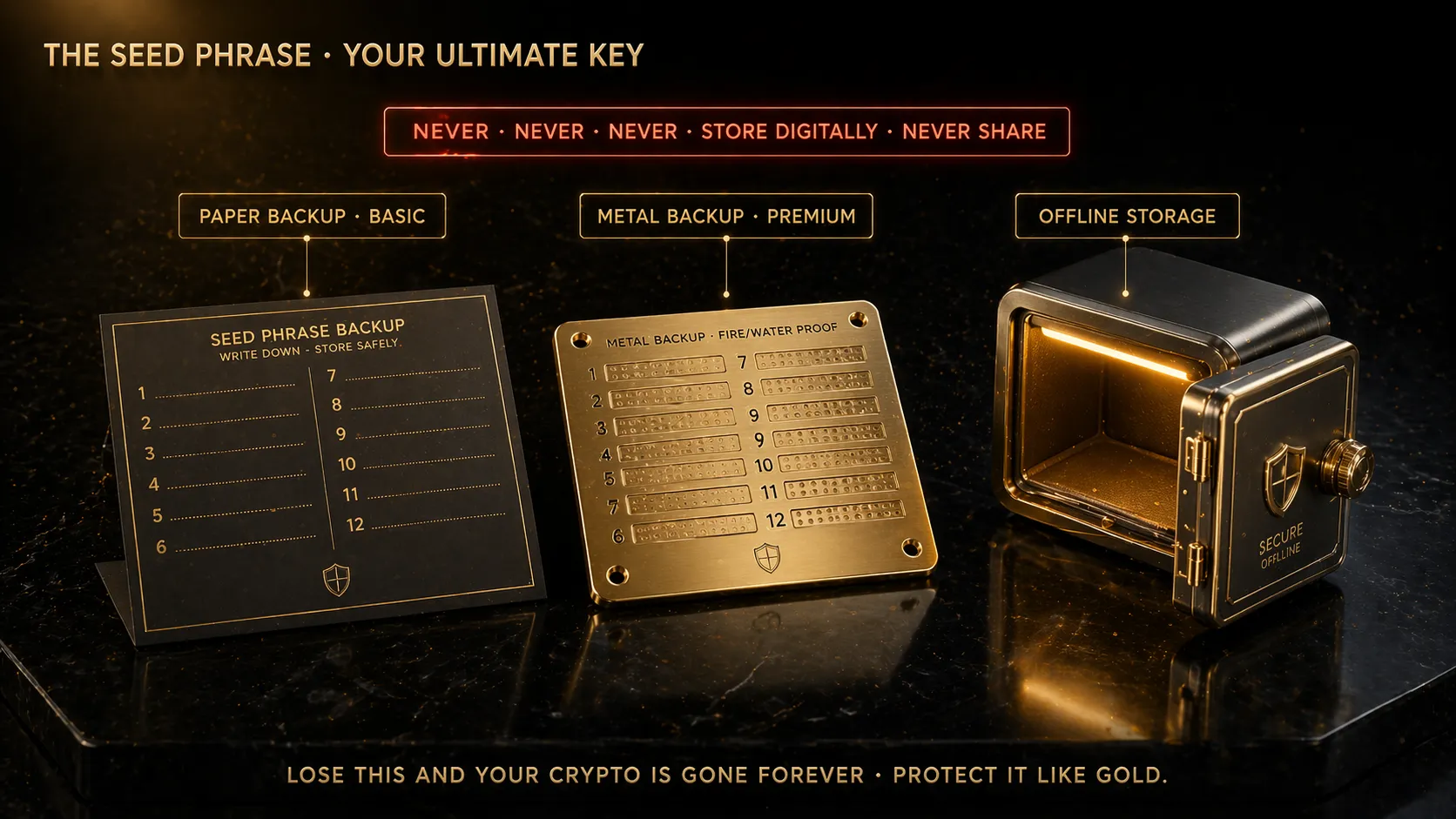
The seed phrase — your ultimate key. Protect it like gold; one mistake is permanent.
What a seed phrase actually is.
A seed phrase (also called a "recovery phrase" or "mnemonic") is 12 or 24 English words selected from a fixed list of 2,048 specific words (the BIP-39 standard). Together, they mathematically generate your private keys.
Example (never use this — it is public): "abandon abandon abandon abandon abandon abandon abandon abandon abandon abandon abandon about"
Anyone who enters your exact seed phrase into any BIP-39 compatible wallet software gets full access to your crypto. It is the ultimate master key — bigger than your device, bigger than your PIN, bigger than any password.
Storage rules — non-negotiable.
DO:
- Write the phrase on paper (ideally card stock that won't deteriorate quickly)
- Use a ballpoint pen for permanence (gel pens can smudge or fade)
- Write in clear, unambiguous handwriting
- Number each word (1. abandon, 2. bubble, etc.) so the order cannot be confused
- Keep the phrase completely separate from the device itself
- Make two copies in different physical locations
- Consider a metal backup for long-term durability
- Review the phrase card every 6-12 months to ensure it is still readable
DO NOT:
- Never photograph your seed phrase. Not with your phone, not with any camera.
- Never type the seed phrase into any digital device. Not Notes, not Word, not a password manager, not an email to yourself.
- Never upload to any cloud service — Google Drive, iCloud, OneDrive, nothing.
- Never share the phrase with anyone — not support reps, not family (until inheritance planning), not even your spouse casually.
- Never enter the phrase into any website — no legitimate service ever asks for it.
- Never store the phrase in the same place as the device.
- Never use a "smart" seed phrase backup service that stores it online.
Metal backup — recommended for serious holdings.
Paper can burn, get wet, tear, or decay. For holdings above ₹5 lakh, a metal seed phrase backup is worth the investment.
Options:
- Cryptosteel Capsule: stainless steel tube with letter tiles, ~₹6,000
- Billfodl: similar concept, slightly cheaper, ~₹4,500
- SafePal Cypher: affordable option, ~₹2,000
- DIY options: steel plates with hand-stamped letters, ~₹1,500-2,500 in parts
Metal backups survive fire (up to 1,500°C), floods, and most physical disasters. They are the gold standard for long-term crypto storage.
The inheritance problem.
If you die with crypto and no one knows your seed phrase, your crypto is lost forever. Indian law has no legal framework for recovering crypto without keys.
Plan for this:
- Create clear inheritance documents that describe where the seed phrase is stored (not the phrase itself)
- Use a system like "1-of-2 multi-sig" where two trusted people can recover crypto together (advanced)
- Use services like Casa or Unchained for enterprise-grade inheritance planning (for large holdings)
- Discuss with a lawyer familiar with digital assets in Indian law
For most individual investors, keeping seed phrase copies with a trusted family member (in a sealed envelope to be opened only in specific circumstances) is a simple middle-ground solution.
The 25th word (passphrase) — advanced protection.
Most hardware wallets support an optional "passphrase" — sometimes called the "25th word". You create this word yourself (not from the BIP-39 list). Combined with your 24-word seed, it creates a different wallet.
This means even if someone finds your 24 words, they still cannot access your crypto without the 25th word. Extra layer of security.
However, this adds significant complexity:
- You must remember or securely store the 25th word separately
- If you forget or lose the 25th word, the 24 words alone are useless — crypto is lost
- Every recovery requires both the 24 words and the 25th word
For most beginners, skip the 25th word feature. Master basic seed phrase security first. Only consider passphrases after at least 1-2 years of hardware wallet experience and for holdings above ₹10 lakh.
Mistakes that destroy hardware wallet security
Hardware wallets are extremely secure devices. But their security depends on user behaviour. Here are the most common ways people destroy their own security.
Mistake 1 — Buying from unofficial channels.
We covered this earlier, but it deserves repetition. OLX, Quikr, Facebook Marketplace, second-hand shops, random websites, "discount" offers on Amazon — all are high-risk. Supply chain tampering is real and costs users their crypto regularly.
Fix: always buy direct from the manufacturer or verified authorised resellers only.
Mistake 2 — Storing seed phrase digitally.
"I took a photo just in case." "I saved it in a Google Doc for backup." "I emailed it to myself." Every one of these has cost users their crypto.
Phones get hacked. Cloud accounts get breached. Emails leak. Any digital copy of your seed phrase is a potential attack vector.
Fix: keep seed phrases only on paper or metal. No exceptions. Ever.
Mistake 3 — Sharing seed phrase with "support".
Scammers pose as Ledger, Trezor, or other company support staff. They contact you via email, Twitter DM, Telegram, or phone. They claim there is a "security issue" and you need to "verify" your seed phrase.
No legitimate company EVER asks for your seed phrase. Anyone who does is stealing.
Fix: if contacted about seed phrase, block immediately. Only trust messages in the official app, not external messages.
Mistake 4 — Entering seed phrase into fake wallet apps.
Fake versions of MetaMask, Ledger Live, Trust Wallet appear regularly on app stores and search ads. You install the fake app, it asks for your seed phrase to "import your wallet", and your crypto disappears within minutes.
Fix: only install wallet apps from the manufacturer's official website links. Never click search ads for wallet software — these are often fake. Double-check URLs and app publishers.
Mistake 5 — Not verifying transactions on the device screen.
The point of a hardware wallet is that you verify transactions on its physical screen — not your computer. Malware can change what your computer shows while leaving the device screen accurate.
Skipping the verification step (just pressing approve without reading) means you might approve a transaction sending crypto to an attacker's address.
Fix: always read the destination address and amount on the device screen before approving. Every transaction. No exceptions.
Mistake 6 — Connecting to compromised computers or phones.
If your computer has malware, hardware wallets protect your keys but not your workflow. Malware can swap destination addresses in your clipboard (you copy an address, paste a different one).
Fix: use a dedicated "clean" device for crypto operations when possible. Keep antivirus updated. Be suspicious of strange computer behaviour.
Mistake 7 — Storing device and seed phrase together.
"I keep them both in my desk drawer." A burglar who finds the drawer gets both. A fire destroys both. A curious relative finds both.
Fix: store the device and seed phrase in completely different locations. Ideally, different buildings.
Mistake 8 — Testing with large amounts first.
Some users excitedly transfer their entire ₹5 lakh holding to a new hardware wallet without testing first. If something is wrong (wrong address, bad setup, compromised device), they lose everything.
Fix: always test with small amounts first. Send ₹500, confirm receipt. Send it back, confirm receipt. Only after successful tests, move main holdings.
Mistake 9 — Ignoring firmware updates.
Hardware wallet manufacturers release firmware updates that patch security vulnerabilities. Users who ignore these leave known holes in their security.
Fix: keep firmware updated through the official app. But only install updates through the official software — firmware from unofficial sources can include malware.
Mistake 10 — Not planning for emergencies.
What happens if you are hospitalised for weeks? What if you lose your phone and cannot access the app? What if you travel internationally and forget the device at home? What if your home is robbed?
Each of these scenarios needs a plan. Without planning, a simple disruption can become a permanent loss.
Fix: write down your complete crypto recovery plan. Keep it in a safe place. Review annually. Discuss with trusted family where necessary.
KAVACH — Complete capital protection starts with self-custody
KAVACH is our capital protection framework covering hardware wallet selection, operational security, seed phrase hygiene, inheritance planning, and the real-world practices that separate crypto holders who keep their wealth from those who lose it. Hardware wallets are tools — discipline is what actually protects you.
Explore the Store →A final honest thought.
Hardware wallets are not magic. They are tools. A tool is only as good as the person using it. I have seen people with ₹50 lakh in hardware wallets lose everything because they stored their seed phrase photo on Google Drive. I have seen people with ₹5,000 worth of crypto protect it flawlessly with good habits.
The key insight — your habits matter more than your equipment. A disciplined user with a ₹5,000 Trezor is far safer than a careless user with a ₹15,000 Ledger Nano X. Security comes from process, not from product.
Once you buy a hardware wallet, treat it seriously. Understand every setup step. Practice sending small amounts. Review your seed phrase backup annually. Stay alert for phishing attempts. These habits, applied consistently, give you real security — the kind that survives exchange collapses, hacks, and market chaos.
Our buy Bitcoin guide covers the complete path from exchange account to hardware wallet. Our whale manipulation guide and scam red flags guide cover what to watch for once your crypto is safely stored. Join our Telegram community where we discuss security practices regularly. Our crypto education courses include full modules on self-custody and operational security for Indian users. Take security seriously. It is the only part of crypto you can truly control.
Frequently Asked Questions
Do I really need a hardware wallet if I only have a small amount of crypto?
If your total crypto holding is under ₹20,000-30,000, you can reasonably skip a hardware wallet since the device cost itself is a large percentage of your holding. Use a reputable Indian exchange and enable 2FA. Once holdings exceed ₹50,000, a hardware wallet is strongly recommended. Above ₹5 lakh, operating without one is genuinely risky — exchange failures have repeatedly cost users their entire balances. The ₹7,000-12,000 investment is the cheapest insurance in crypto.
Can I buy a Ledger or Trezor hardware wallet in India?
Yes, but with cautions. The safest method is ordering directly from the manufacturer's website (ledger.com, trezor.io) which ships to India via international courier. Expect ₹1,500-3,000 shipping plus 28-40% customs duties. Avoid third-party resellers on OLX, Quikr, or unverified Amazon sellers — supply chain tampering of hardware wallets is a documented attack. A device that arrives pre-configured or with a pre-written seed phrase is definitely compromised.
What happens if my hardware wallet breaks, is lost, or gets stolen?
Nothing bad, as long as you still have your seed phrase. The device itself does not hold your crypto — the blockchain does. The device only holds keys derived from your seed phrase. If your Ledger breaks, you can buy a new Ledger (or a Trezor or any other BIP-39 compatible wallet) and restore access by entering your 12 or 24-word seed phrase. Your crypto will be fully recoverable. This is why seed phrase security is far more important than device security.
Is it safe to store the seed phrase in a bank locker in India?
Yes, bank lockers are generally a reasonable storage location for seed phrases. The main trade-offs are access inconvenience (you need to visit the bank) and the small risk of bank processes being disrupted. Many experienced Indian investors use a two-location strategy — one copy in a bank locker, one copy in a home safe or with a trusted relative. Never store both copies in the same location. If using a bank locker, store the seed phrase in a sealed envelope marked only with a generic label, not mentioning crypto directly.
Should I use the 25th word passphrase feature for extra security?
For most beginners, no. The passphrase (25th word) feature adds powerful protection but also adds significant complexity — if you forget or lose the passphrase, even the 24-word seed cannot recover your crypto. For holdings under ₹10 lakh, proper basic seed phrase storage is sufficient. Consider adding a passphrase only after 1-2 years of comfortable hardware wallet experience and for larger holdings where the extra security is worth the operational complexity. Test extensively with small amounts before committing real capital.
This article is for educational purposes only and does not constitute financial advice. Crypto investments are subject to market risk and are not regulated by SEBI or RBI in India. Past performance does not guarantee future results. Always do your own research, consult a registered financial advisor, and never invest more than you can afford to lose. cRyPtO sMaRt and Avik Kanrar are not liable for any trading decisions or losses based on this content.